![FrontCore-logo-meny-250.png]](https://25184037.hs-sites-eu1.com/hs-fs/hubfs/FrontCore%20logos/FrontCore-logo-meny-250.png?height=40&name=FrontCore-logo-meny-250.png)
This is especially useful for corporate training, where you create one course per customer and case.
Courses > Manage course templates
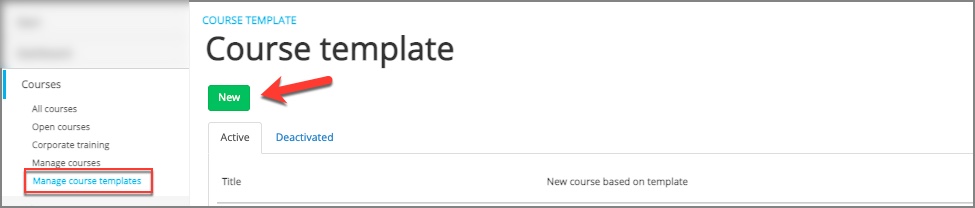
Course templates are set up in almost the same way as courses. But here you do not add date or customer (on corporate training). It is a useful tool and has several uses:
Corporate training
If you have several corporate training courses, you can enter a course template for each type of course. Then you have the information ready when a customer orders and you can create a new course based on the template.
Open courses
If you have several open courses with the same elements, you can use course templates to create a basis for most of your courses. You can always customize the course you create based on the template. This way, you can make sure that all your courses have the correct setup with, for example, the correct lead form.
Mother and daughter services
A parent school can create course templates from which daughter schools can create courses. The daughter school will have access to your template and updated course material, but not the opportunity to change the template.
Files
The files you add to a course template will automatically be updated on the course. This way, you can make sure that the instructor has, for example, updated PowerPoint with the correct course content available. The instructors can access the files through instructor onboarding, which is part of planning module.
Do you have any more good tips for using the course templates? Feel free to send us a tip to support@frontcore.com